Key Takeaways
- Define the handbook’s audience, purpose, and practical tasks before drafting.
- Organize content with clear headings, concise instructions, checklists, and page references.
- Prioritize readability, accessibility, and useful space for notes or activities.
- Choose a binding format that matches how often the handbook will be handled or updated.
- Check margins, image quality, page numbers, and binding clearance before printing.
- Test a physical proof with intended readers to identify confusing content or layout issues.
- Use version numbers, revision dates, and regular reviews to keep information accurate.
A printed handbook should help people complete real tasks, not simply collect information. Whether it supports employee onboarding, classroom learning, field work, or an event, the strongest version gives readers clear instructions, useful space to respond, and a reliable way to find answers when they need them. Format matters when a handbook will be handled repeatedly. Custom spiral bound booklets from Printivity are designed for longer working documents such as manuals, planners, workbooks, and training materials. As a printing provider with booklets, manuals, and training presentation options, Printivity is a relevant resource for teams that need a printed piece to open flat, turn easily, and support active use in workplace, school, and event settings.
Start With The Reader And The Job To Be Done
Before drafting a page, define who will use the handbook, what problem it solves, and what readers should know, do, or decide afterward. A staff guide may explain procedures and responsibilities. A training workbook may need space for exercises and notes. An event guide may prioritize schedules, locations, contacts, and contingency steps. Create a short project brief that identifies the target audience, primary purpose, reading environment, required actions, and expected update schedule. This keeps the project focused when multiple contributors add material or when last-minute requests threaten to expand the handbook beyond its purpose.
Build A Content Map Before Designing Pages
A content map exposes missing steps and repeated information early, when changes are easiest to make. A practical order is purpose and scope, key terms, core instructions, examples, checklists or worksheets, and contact information. Put critical material where readers expect it, then use a contents page, section labels, and page numbers to support quick retrieval. Break related material into short sections rather than long, uninterrupted blocks. Use appendices for background details, quick-reference pages for urgent or frequent tasks, and index tabs when a longer handbook needs fast navigation. Event organizers can also borrow the planning approach from an event handbook that brings timelines, responsibilities, and operational tools into a single working reference.
Turn Dense Information Into Usable Pages
Every page should have one primary job. Short paragraphs, descriptive subheads, numbered steps, callout boxes, diagrams, and checklists help readers scan instead of hunt. Place an example beside a rule or instruction whenever possible, especially when a process has exceptions or a correct outcome may be unclear.
- Is the main point easy to spot?
- Can a reader complete the task without verbal explanation?
- Are unfamiliar terms defined?
- Is there space for notes, dates, signatures, or check marks?
- Does the page remain understandable in both print and digital versions?
Test a few sample pages with someone who did not write the material. If that person pauses, misreads a step, or asks where to find an answer, revise the page rather than assuming readers will adapt.
Design For Real-World Use And Accessibility
The setting affects nearly every design choice. A desk reference can use more detail and smaller page dimensions than a guide used while standing at a job site or moving through a busy event. Choose readable type, strong contrast, consistent heading styles, and enough white space to prevent visual overload. Avoid communicating meaning through color alone. Accessibility belongs in the first draft, not the final review. Use plain language, logical navigation, captions or text descriptions for important visuals, and alternate formats when readers may need them. The practical guidance in the accessibility handbook illustrates why clear structure benefits both printed and digital information.
Choose A Format That Fits The Content
Match the binding to the way readers will use and update the handbook:
- Stapled booklets work well for concise guides and short programs.
- Perfect-bound books suit more formal, book-like references.
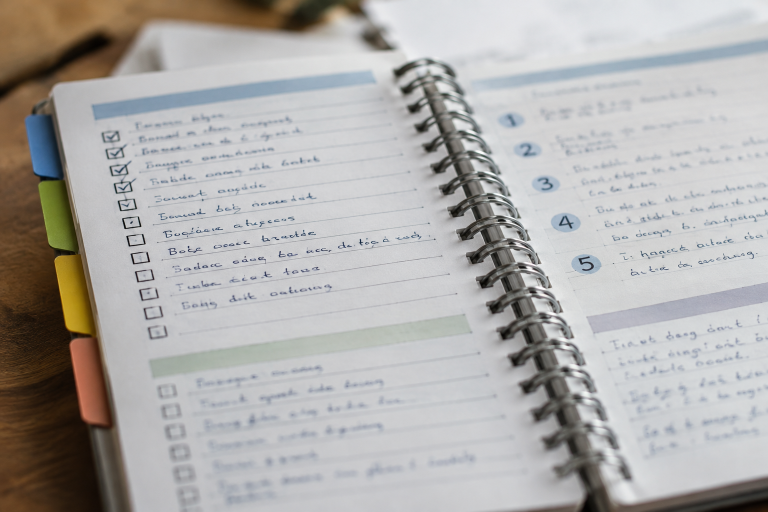
- Spiral-bound formats are useful for manuals, planners, and workbooks that should lie flat while readers write or follow steps.
- Three-ring binders can make sense when pages must be replaced often.
Consider page count, storage needs, writing needs, handling frequency, and revision plans. Leave adequate room at the binding edge so holes, coils, or glue do not crowd text, diagrams, or page numbers.
Prepare Print-Ready Artwork Carefully
Confirm the final trim size before setting margins. Keep essential text inside a safe area, extend full-page artwork into bleed where required, and review images at their intended printed size. Organize pages in reading order and use a final preflight process:
- Confirm size and page count.
- Review margins, bleed, and binding clearance.
- Check image quality, color settings, and fonts.
- Inspect page numbers, section labels, and links or QR codes.
- Proofread the final file and review a physical proof when possible.
A small error can be repeated throughout an entire print run, so final proofing is a production decision as well as an editorial one.
Plan For Updates And Version Control
Old copies can create confusion when procedures, contacts, forms, or schedules change. Add a version number, publication date, revision date, and content owner near the front of the handbook. Keep an internal change log that records what changed and which pages were affected. QR codes can direct readers to current forms or online schedules, but the handbook should also state what to do if printed instructions conflict with a more recent official update. This gives readers a clear path without making the printed copy feel disposable.
Test Before Distribution
Give a draft to a small group of intended users and ask them to complete common tasks without help. Check whether they can quickly locate emergency contacts, schedules, definitions, and next steps. Review the physical copy for page-turning comfort, legible type, image quality, writing space, cover durability, and ease of storage.
Common Questions About Printed Handbooks
How Long Should A Printed Handbook Be?
Length should follow the reader’s needs. A short guide is often better when readers need quick answers. Longer handbooks need clear sections, page references, tabs, and summary pages to remain usable.
Should A Handbook Be Printed Or Digital?
Many projects benefit from both. Print supports offline access, note-taking, and group training, while digital copies are easier to search, update, and distribute widely.
What Should Go On The First Few Pages?
Include a title page, version information, purpose statement, contents page, contact details, and a brief explanation of how to use the handbook.
When Does Spiral Binding Make Sense?
It is a practical option for readers who need to lay pages flat, fold the book back, write while reading, or frequently return to the same instructions.
Final Takeaway
See more: Evolution of Magazine Tech: Transforming the Way We Read
A useful handbook is a working tool designed to help readers find information, follow instructions, and complete tasks with confidence. When its content, layout, accessibility, binding, and update process support the reader’s actual needs, it becomes easier to trust, easier to use, and more valuable over time. Clear headings, concise explanations, readable text, and well-organized sections make important information easier to locate, while durable materials help the handbook withstand regular use. Testing the finished document with actual readers can reveal confusing instructions, navigation problems, or formatting issues that need improvement. Regular reviews also ensure that procedures, contact details, and supporting resources remain accurate as requirements change. By combining thoughtful design with practical content and consistent maintenance, organizations can create handbooks that support everyday work, improve understanding, and remain dependable references long after publication.